
ON THIS PAGE

Step into even the most modernized dental laboratories, and you will discover an expensive concern: “cutting-edge” technology and software sitting unused on a metaphorical shelf.
The cost of outdated technology or unused software in a dental lab (or any organization) is steep, as high as $1.52 trillion total across businesses in the U.S., according to one estimate by the Wall Street Journal. With that in mind, why do technology adoptions fail within an organization? What stops teams from taking advantage of the opportunities that the latest software should provide?
The most underrated reason is also the least surprising: When new technologies are hard to use, they go unused.
Let’s dive into four ways in which a platform’s ease-of-use (or lack thereof) impacts the success of adopting new technology in the dental lab.
1. The solution is hard to set up.
Even the most cutting-edge platform doesn’t set itself up. But it’s not uncommon for organizations to underestimate the time needed to implement new software, or to assume it will be ready to use right out of the box.
The longer it takes to get a new platform into your team’s hands and for them to see its value, the less likely they will even want to use it. This concept is so crucial for businesses that there is a specific customer success metric called time-to-value, or TTV. High TTV (meaning, waiting a long timeto experience the value of a software solution) risks the technology adoption failing before it even begins.
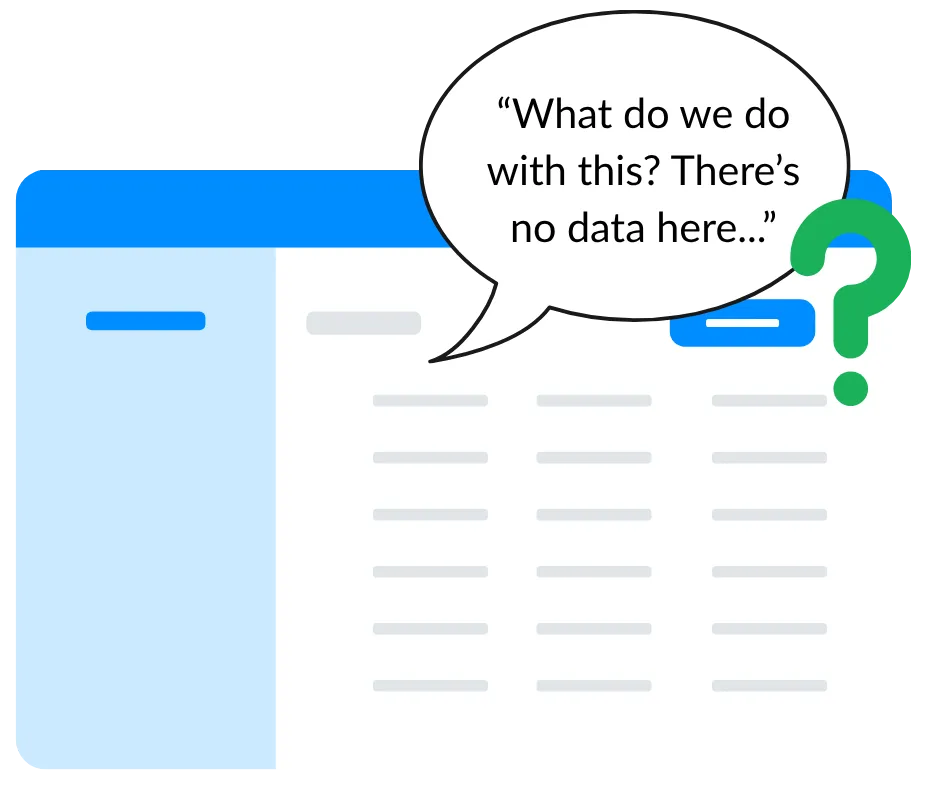
Integration complexity is a common culprit behind delayed technology implementation. Many vendors hand over the keys to their software and leave it up to a dental lab team to fill in the blanks—literally. Your team may expect to login and find everything set up and customized for your lab. But too often, data integrations and workflows are your responsibility to set up, giving you a blank screen on day one, rather than the ability to take action.
A new platform must “speak” with other systems within your lab, sending and receiving data quickly and accurately. Configuring these integrations correctly requires the right technical expertise AND contextual understanding of your unique internal ecosystem. While your team’s time and input will be needed to some degree to ensure a new software is configured to truly meet your needs, an ideal software partner takes the lead on the heavy lifting.
When evaluating new software, ask the following questions to identify which platforms are both easy to set up and come ready to (actually) use at first login:
- How long does platform setup typically take?
- Which setup tasks will your team be responsible for? Does the vendor take on the technical work to connect the new platform with your lab management system and other data sources?
- How does the vendor explicitly collaborate with your team during setup to understand your unique team structure, processes, and data as it pertains to your business goals?
- What features and automations will the vendor configure between its platform and your existing systems to complement or enhance your infrastructure? (Note how this question goes beyond the features and automations themselves, focusing on ownership and execution of their setup!)
2. The platform isn’t easy to navigate or understand.
Much like a representative’s first impression with a customer, the first login on a new platform sets the tone for that user’s experience thereafter. Your team won’t want to use a tool that makes their day-to-day work more frustrating, and a poorly designed platform can be a major source of friction.
Consider how your customer-facing representatives prepare for a call or meeting with an existing customer. In an ideal world, they walk into that conversation fully equipped with relevant and recent information about this dentist, such as:
- Instances of remakes or other issues with cases within the last six months
- Insights about what products dentists are (and importantly, are not) purchasing from your lab regularly
- Patterns of order consistency and volume in the last year
It should also be quick and easy to access this type of information. After all, this representative has many other current customers and new sales opportunities they are nurturing. It’s a lot to ask them to also locate, analyze, and extrapolate insights about a customer or prospect every time they want to reach out. That last step can be particularly time-consuming.
Understandably, if this rep can’t find what they need in a platform in a few steps, they may walk away from the solution entirely.
On the other hand, with truly well-designed software, users with any comfort level using technology can dive in right away. Features are easy to find and clear in purpose. Data reports surface actionable opportunities that make sense to users. Most importantly, a user can easily find exactly what they need in just a few clicks.
“When you buy something [that] sits in the corner, that’s a failure of the tech as well as the [company’s] education of it.”
— Rob Nazzal, CEO & Founder of icortica
Even the most intuitive software should come with training. Product education challenges go beyond the “blank software” issue discussed earlier. Platforms fully configured with your lab’s central processes and data stand a better chance of impressing a first-time user, but training is what moves your team from passive recipients to active participants.
Professional development and human resource experts have long highlighted how one-size-fits-all training alone fails to prepare a new employee for their job. Similarly, generic training isn’t enough to successfully onboard a user to a new platform. Role-based training contextualizes both the process and technical instruction necessary for all members of a team to embrace new technology. After all, a technical specialist will use features in different ways than a marketing manager, the customer support team, and you yourself as the owner or manager of the lab.
Many software companies expect customers to implement their solution on their own and some are experimenting with AI to streamline customer support and implementation. But the human touch still is still the key for successful technology adoption, especially in a dental lab.
A new technology’s customer success representatives should give teams specific guidance and use cases tied to your lab’s unique goals and each team member’s role in achieving them. Through this engagement, everyone on your team can immediately start using the new software in ways that specifically support them.
Vendors that create a personalized experience and demonstrate investment in your success are the best partners for onboarding your team to a new platform.
4. Your lab sees little to no support after onboarding.
In business, change is constant, and dental labs are no exception. Team members join and depart, business processes shift, and products or services for dentists evolve.
The technology your team uses daily should also flex to new circumstances, but it is unfortunately rare that the customer service behind these platforms also adapts. From slow response times to extra charges for additional training or integrations, poor customer support after initial onboarding can sink an otherwise healthy technology adoption within your dental lab.
At icortica, ease-of-use is a guiding principle, and not only for creating intuitive products in service of dental laboratory teams. Whether you have a new representative getting up to speed or are switching lab management software, we’re here to help you maximize your growth opportunities and make the most out of your experience. Watch the video and listen to Prudence Townsend, Head of Customer Success, explain icortica’s customer onboarding process and ongoing support we provide.